109 lines
3.0 KiB
Markdown
109 lines
3.0 KiB
Markdown

|
# Phugo
|
|||
|
|
|
|||
|
|
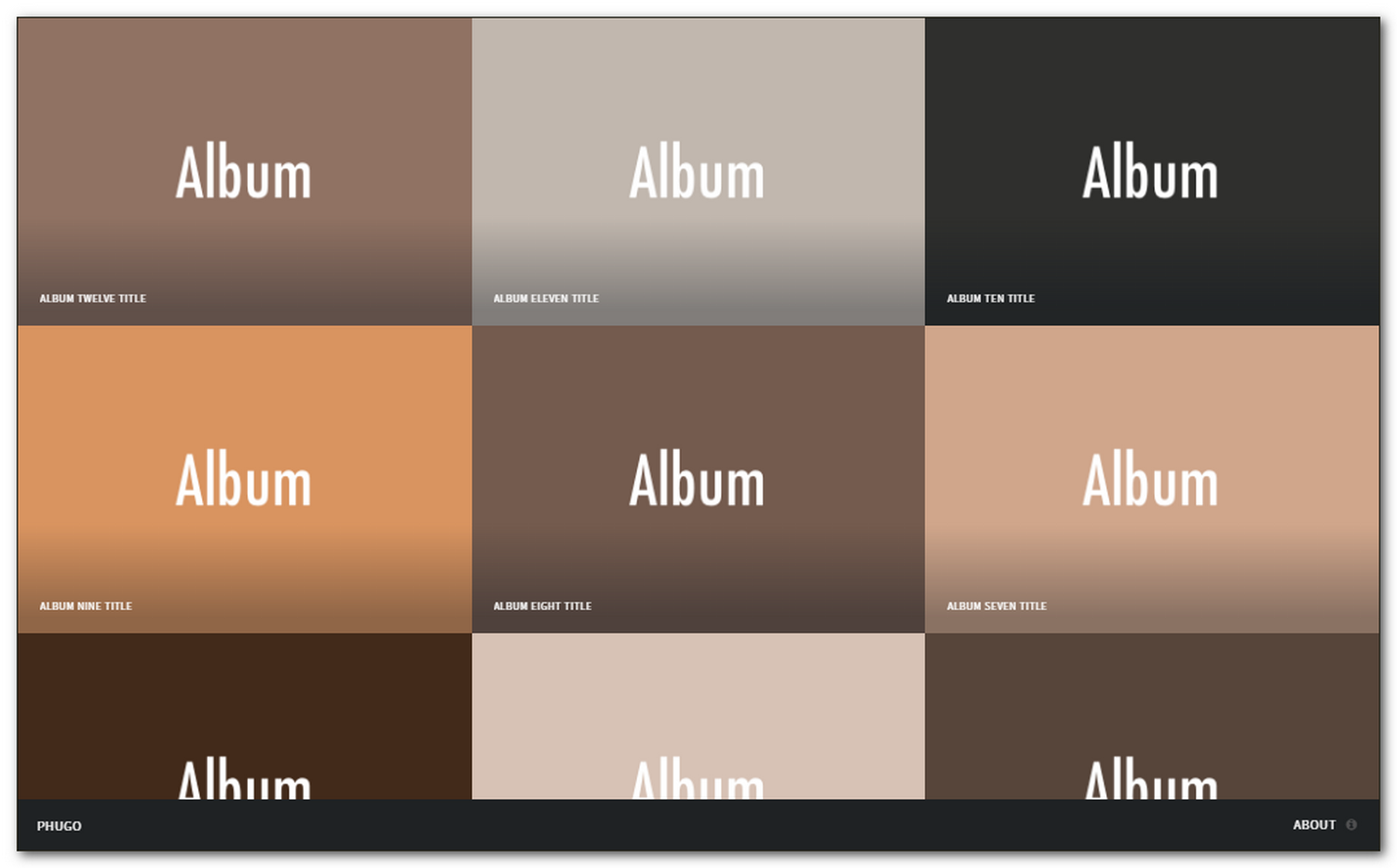
Phugo [ˈfjuːgəʊ] is a gallery/photoblog theme for Hugo. It is a port of HTML5 UP [Multiverse template](https://html5up.net/multiverse).
|
|||
|
|
|
|||
|
|
## Screenshot
|
|||
|
|
|
|||
|
|
|
|||
|
|
|
|||
|
|
## Features
|
|||
|
|
|
|||
|
|
### Original
|
|||
|
|
|
|||
|
|
- Fully Responsive
|
|||
|
|
- HTML5 + CSS3
|
|||
|
|
- FontAwesome icons
|
|||
|
|
- Compatible with all modern browsers
|
|||
|
|
|
|||
|
|
### Added
|
|||
|
|
|
|||
|
|
- One level albums support
|
|||
|
|
- Google Analytics
|
|||
|
|
- Basic breadcrumbs
|
|||
|
|
- Working contact form
|
|||
|
|
|
|||
|
|
## Demo
|
|||
|
|
|
|||
|
|
You can see it in action on [Hugo Themes site](http://themes.gohugo.io/theme/phugo/).
|
|||
|
|
|
|||
|
|
## Contents
|
|||
|
|
|
|||
|
|
- [Installation](#installation)
|
|||
|
|
- [Configuration](#configuration)
|
|||
|
|
- [Posting](#posting)
|
|||
|
|
- [Test your site](#test-your-site)
|
|||
|
|
- [Building the site](#building-the-site)
|
|||
|
|
- [Roadmap](#roadmap)
|
|||
|
|
- [Contributing](#contributing)
|
|||
|
|
- [License](#license)
|
|||
|
|
|
|||
|
|
|
|||
|
|
## Installation
|
|||
|
|
|
|||
|
|
- [Install Hugo](//gohugo.io/overview/installing/) and create a new site.
|
|||
|
|
- Install Phugo. Inside your new Hugo project run:
|
|||
|
|
|
|||
|
|
```
|
|||
|
|
$ git clone https://github.com/aerohub/phugo themes/phugo
|
|||
|
|
```
|
|||
|
|
|
|||
|
|
- Take a look inside the [`exampleSite`](//github.com/aerohub/phugo/tree/master/exampleSite) folder of this theme. You'll find a file called [`config.toml`](//github.com/aerohub/phugo/blob/master/exampleSite/config.toml). Copy the `config.toml` into the root folder of your Hugo site.
|
|||
|
|
|
|||
|
|
## Configuration
|
|||
|
|
|
|||
|
|
Open just-copied `config.toml` and fill it with your data. Pay attention on instructions for the contact form.
|
|||
|
|
|
|||
|
|
Now you are ready to create your first photopost/album.
|
|||
|
|
|
|||
|
|
## Posting
|
|||
|
|
|
|||
|
|
Inside your project run:
|
|||
|
|
|
|||
|
|
```
|
|||
|
|
$ hugo new NAME-OF-YOUR-ALBUM/_index.md
|
|||
|
|
```
|
|||
|
|
It will create an index file of your first album. Open `content/NAME-OF-YOUR-ALBUM/_index.md` with your text editor. You'll see something like this:
|
|||
|
|
|
|||
|
|
```
|
|||
|
|
+++
|
|||
|
|
albumthumb = "path/to/album/cover/image"
|
|||
|
|
date = "2016-10-21T19:07:17+03:00"
|
|||
|
|
title = "index"
|
|||
|
|
+++
|
|||
|
|
|
|||
|
|
{{< photo full="path/to/first/FULL-SIZE/image/in/your/gallery.jpg" thumb="path/to/its/THUMBNAIL/image.jpg" alt="" phototitle="SOME TITLE" description="SOME SHORT DESCRIPTION. MARKDOWN **SUPPORTED**. REPEAT THIS SHORTCODE FOR EVERY IMAGE YOU HAVE IN THIS GALLERY">}}
|
|||
|
|
|
|||
|
|
```
|
|||
|
|
Change the title of your album and set the url of album's cover. Then fill the shortcode fields with the first image data. Repeat the shortcode for every image in the gallery. You may use both local and remote images.
|
|||
|
|
|
|||
|
|
Create needed albums and then
|
|||
|
|
|
|||
|
|
## Test your site
|
|||
|
|
|
|||
|
|
In order to see your site in action, run Hugo's built-in local server.
|
|||
|
|
|
|||
|
|
$ hugo server -w
|
|||
|
|
|
|||
|
|
Now enter `localhost:1313` in the address bar of your browser.
|
|||
|
|
|
|||
|
|
## Building the site
|
|||
|
|
|
|||
|
|
Just run
|
|||
|
|
|
|||
|
|
$ hugo
|
|||
|
|
|
|||
|
|
You'll find your resume files in `public` folder in the root of Hugo project.
|
|||
|
|
|
|||
|
|
## Roadmap
|
|||
|
|
|
|||
|
|
- [ ] Pagination support
|
|||
|
|
- [ ] Taxonomies
|
|||
|
|
|
|||
|
|
## Contributing
|
|||
|
|
|
|||
|
|
Did you found a bug or got an idea? Feel free to use the [issue tracker](//github.com/aerohub/hugo-orbit-theme/issues).
|
|||
|
|
|
|||
|
|
## License
|
|||
|
|
|
|||
|
|
The original template is released under the Creative Commons Attribution 3.0 License. Please keep the original attribution link when using for your own project.
|